What slipped behind
A past task you didn't do finds a place in the next few days.
Renew passportOverdue
Mon 10:30Wed 15:00Blaze keeps events, tasks and projects in one calendar. With Autopilot your week puts itself back in order: you look at the plan and confirm.
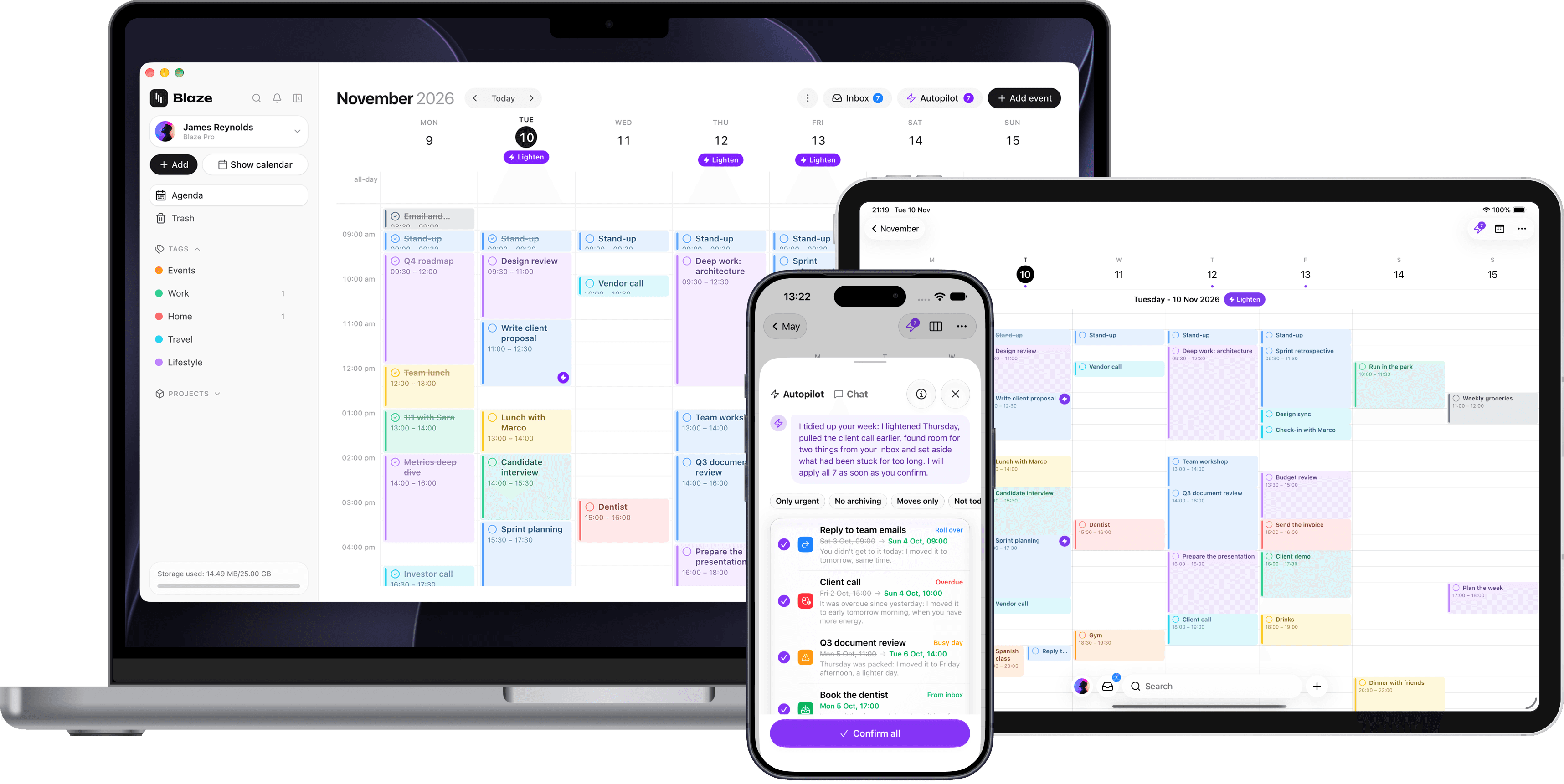
Autopilot looks at your week and suggests how to sort it out: it moves what slipped, lightens days that are too full and finds a place for what's in your Inbox. You see it all on the calendar before it happens.
I took a look at your week: 2 tasks had fallen behind and one day was too full.
Every suggestion says what changes and why. Take them all, pick a few or discard them.
A past task you didn't do finds a place in the next few days.
When a day overflows, something moves to where there's room.
At the end of the day, what's left goes later tonight or tomorrow, wherever there's room.
Things with no date find a free slot in your week.
Several short tasks with the same tag become one block.
A block that's too long on a packed day splits into shorter parts.
Overdue for weeks and never done? It gets archived, and comes back whenever you want.
Autopilot changes nothing without your yes. It tells you when there's something to sort out, marks packed days on the calendar, and every change undoes with one tap.
Blaze is still a complete calendar: events and tasks together, an Inbox for what has no date yet, projects to share and an AI to ask.
Google Calendar everywhere, Apple Calendar on iPhone and iPad, and the Google Meet link right in the event.
Jot it down now, drag it onto the calendar once you know when.
Blaze picks up the date and time as you type.
The project's notes, files and calendar, with roles for who edits and who views.
Do less, do more, find space: the AI works on your agenda.
Start on the Free plan. Autopilot comes with Pro, together with unlimited projects and 25 GB of space.
Compare plans0€/month
To organise your days
Get started4$/month
For AI help every day
Get started7$/month
AutopilotWith Autopilot, for planning everything
Upgrade to ProIt's the part of Blaze that keeps your week in order: it looks at your tasks and events and suggests moves, splits, groups and archiving. It's included in the Pro plan.
No. You see every suggestion on the calendar first and confirm it yourself, all together or one by one, and you can still undo afterwards. The banner and the calendar hints can be turned off in Settings.
Blaze offers a free plan so you can get started right away, with access to core features designed to help you stay organized. For users who need more advanced functionality, a Base and Pro plan with premium tools and expanded limits is now available.
Blaze is available on Mac, iPhone, iPad, and Web.
The Free plan includes the agenda, tasks and two projects. Blaze is on Mac, iPhone, iPad and the web.